by MG | Jan 23, 2021 | Small Business
Paper Planner or Digital Calendar?
COPYWRITER


Everyone knows I’m a techie… and I’ve been asked why I still use a paper planner. Truth is I use both!
“You can do two things at once, but you can’t focus effectively on two things at once.” –Gary Keller
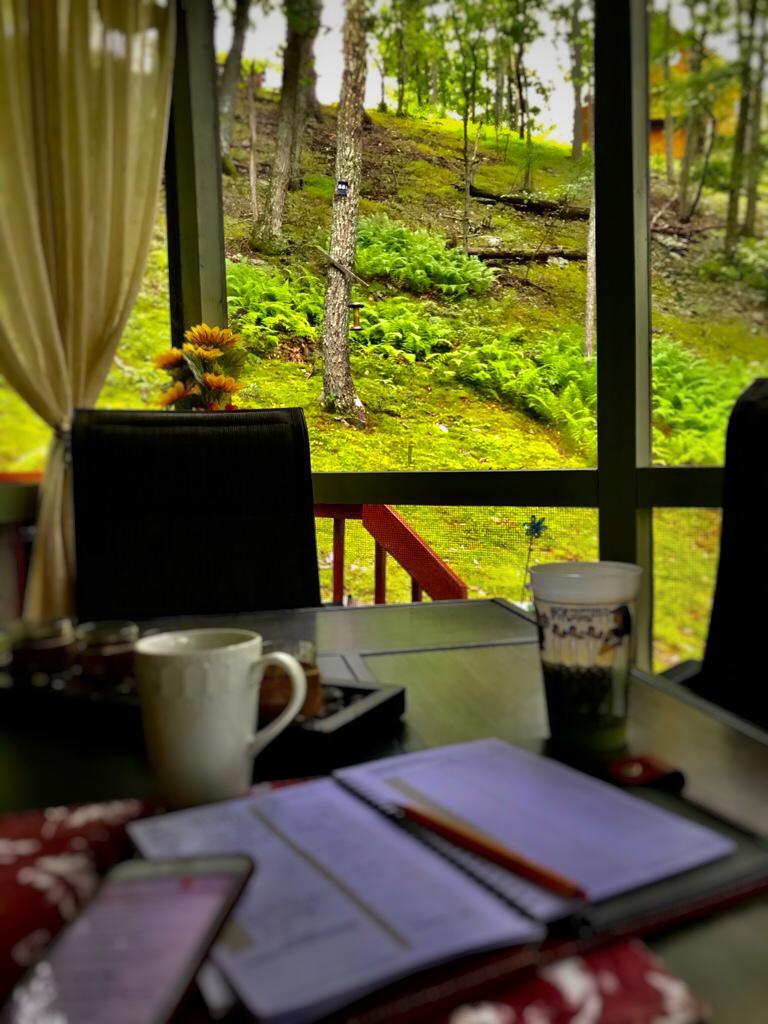
Morning routine @Poconos home – Aug 2020
I LIVE by my digital calendars- for work, businesses (maritzaguzman.com) and personal. And I use different platforms – for my daytime work we use Enterprise Microsoft O365, for my side businesses I use Google G-Suite, for personal planning I use iPhone iOs calendar which I share with my other half, plus a few other Google shared calendars with my work & business teams, as well as a reservation based per appointment calendars. Don’t ask me why- but this system works for me! Having different calendars helps me balance my work day and keeps me focused. Focusing is crucial – because “You can chase two Rabbits at a time but can only catch one!”
Then in the off-hours I use one digital calendar Artful Agenda (Use Code RM213516 ) that combines them all in one view to know the details in between.
So every morning I take a few minutes during my Celery Juice / Lemon Juice / Coffee routine (recommend KickoffCoffeeCo- Soccer Inspired Delicious Colombian Coffee!) to plan out my day. I use this time to write out my day’s agenda so I can mentally prepare for the 55 meetings and ToDo’s I have scheduled for the day LOL.
Best of all I schedule what I wish to accomplish for work & personal, I also fill in and allocate time to exercise, personal development, read, learn, motivate – because when you stop educating your brain you mentally stop growing!!
Why does this matter? I’ve learned from successful people to plan everything! Set your priorities. Your time is valuable. Time is what you’ll never get back- so use it wisely! Know your non-negotiables- choose what is important to schedule and work around it. Follow a system – and stick to it- without it can cause waste of precious time in achieving your goals. It’s not all work and NO play- also schedule your quality & fun time. Remember your calendar is your accountability, what are you willing to give up that will produce the most productive Income and Emotionally fulfilled day? What will be your Income producing activities, and what memorable moments will be cherished & created today?
“The shorter way to do many things is to only do one thing at a time.” –Mozart
MY CLIENTS ASK…
What Calendar do you recommend?
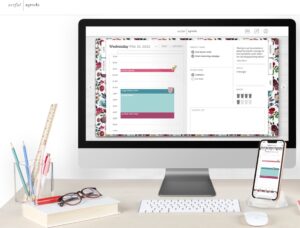
I use Franklin Covey paper planner and Artful Agenda digital planner. I have tried so many different types of planners and wow I highly recommend this digital planner- it does an awesome job blending my multiple calendars into 1 viewable calendar. And best of all it allows me to add Gratitude thoughts, recurring Tasks, plan my Meals, keep track of Water, etc. You can also print your calendar so you have the best of both worlds. You really should try out (click link) >> Artful Agenda use Code RM213516
by MG | Sep 1, 2020 | Home
Ahhh the Quarantined life. Recently while working from home- although I was comfortable (yes, sometimes in PJ’s 🙂 ) I started to randomly feel neck pain, back pain, shoulder pain – and after a couple of days I realized why. And as soon as I made small easy modifications my body felt a big difference! Here I will share with you a few suggestions which I’ve often offered to my users- and by these few simple adjustments it has seriously improved how we feel at the end of the day!
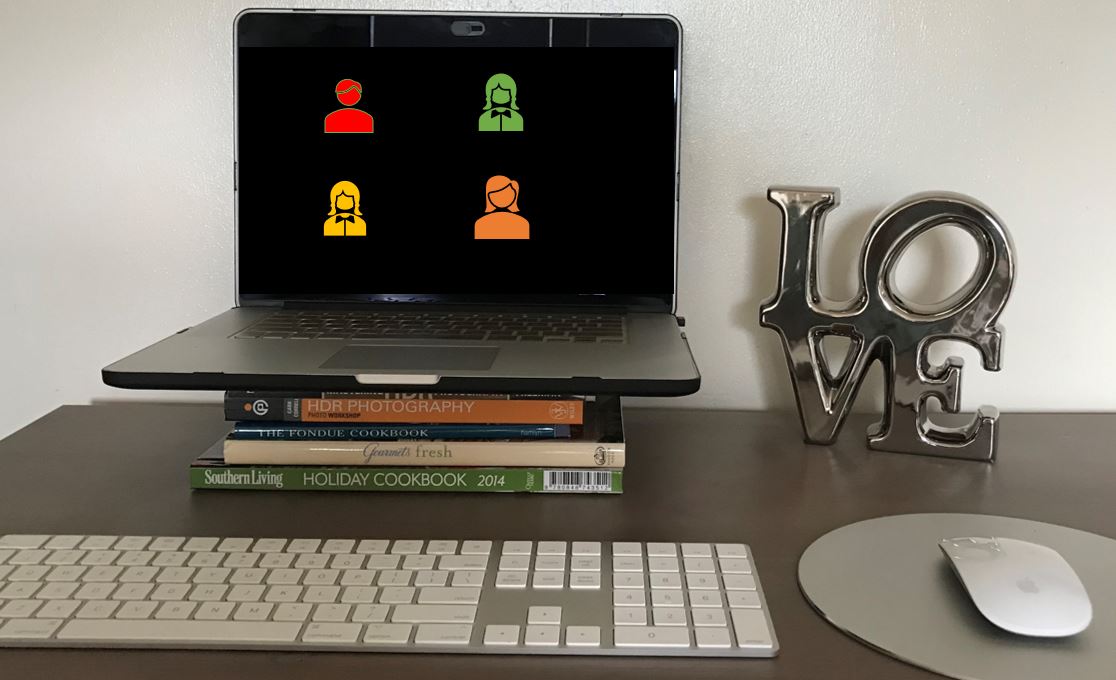
Use props to raise your Laptop 😉
- The Monitor should be at natural eye level and at arm’s length away. If you’re using a Laptop, raise the laptop, or add a 2nd monitor and add an external keyboard and mouse so it can remain at desk level while you type and navigate. This is essential to maintain proper posture.
- Your Wrists and Elbow should sit straight at 90 degrees.
- Adjust your chair height if possible so that your Knees be leveled with your hips, also at 90 degrees. Feet should rest flat on the foot to the ground, or on a footrest.
- Sit with good posture, with your Back arch supported.
Tips: These modifications can be free of cost $, use props such as a box, paper ream or books to adjust the monitor height. Add a pillow to adjust your seat height or low back support.
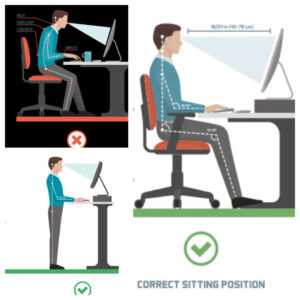
Stand-up desks are also highly recommended. You can set props high enough to be able to stand while working. Studies show there’s a 32 percent improvement in lower back pain while standing with proper posture, so it’s worth the effort.
These simple ergonomics tips will allow you to work comfortable, and as a result be much more productive while pain-free. Also remember to adjust your Children’s workspace accordingly. Proper posture will aide in their bone & muscle development, help reduce being fidgety and assist their focus on schoolwork.
It’s easy to lose track of time, but remember to take periodic Breaks (short breaks are more beneficial than waiting to take a long break). Stand up every hour, or during conference calls, Stretch & drink plenty of Water.
Social media is hazardous to your Neck! Proper posture is also recommended while using your Mobile device. Keep phone at “eye level”, hold up or use an elevated phone holder if possible. Use a handset or headphone if you spend a lot of time on the phone. Trust me your neck will thank you!
MY CLIENTS ASK…
What do you recommend?
Stacking books is the most economical way to raise your monitor. However for aesthetics I like to use a stand. (click on picture below) In addition, a Logitech Wireless Mouse & Keyboard is key.
 Shop Work from Home Essentials: docking stations, laptop cooling pads, keyboards, mice, etc. Buy direct from Targus online.
by MG | Sep 6, 2019 | Cyber
While working in the corporate world you’d be so surprised on how many users write down their passwords and then post-note it onto their computers! Amazing, and when IT dept asks to take it down they wonder what is wrong with that? True and never ending story.
Well Co-Workers, Visitors, Cleaning Staff… anyone with the desire to cause you or the organization harm can snap a picture and use it to break into the system. Perhaps not to directly cause harm to you but most often disgruntle actions towards the company, all while perfoming actions using your username. As you can imagine the consequences arising from Stolen or Leaked passwords can cause a major disruption to everyone.
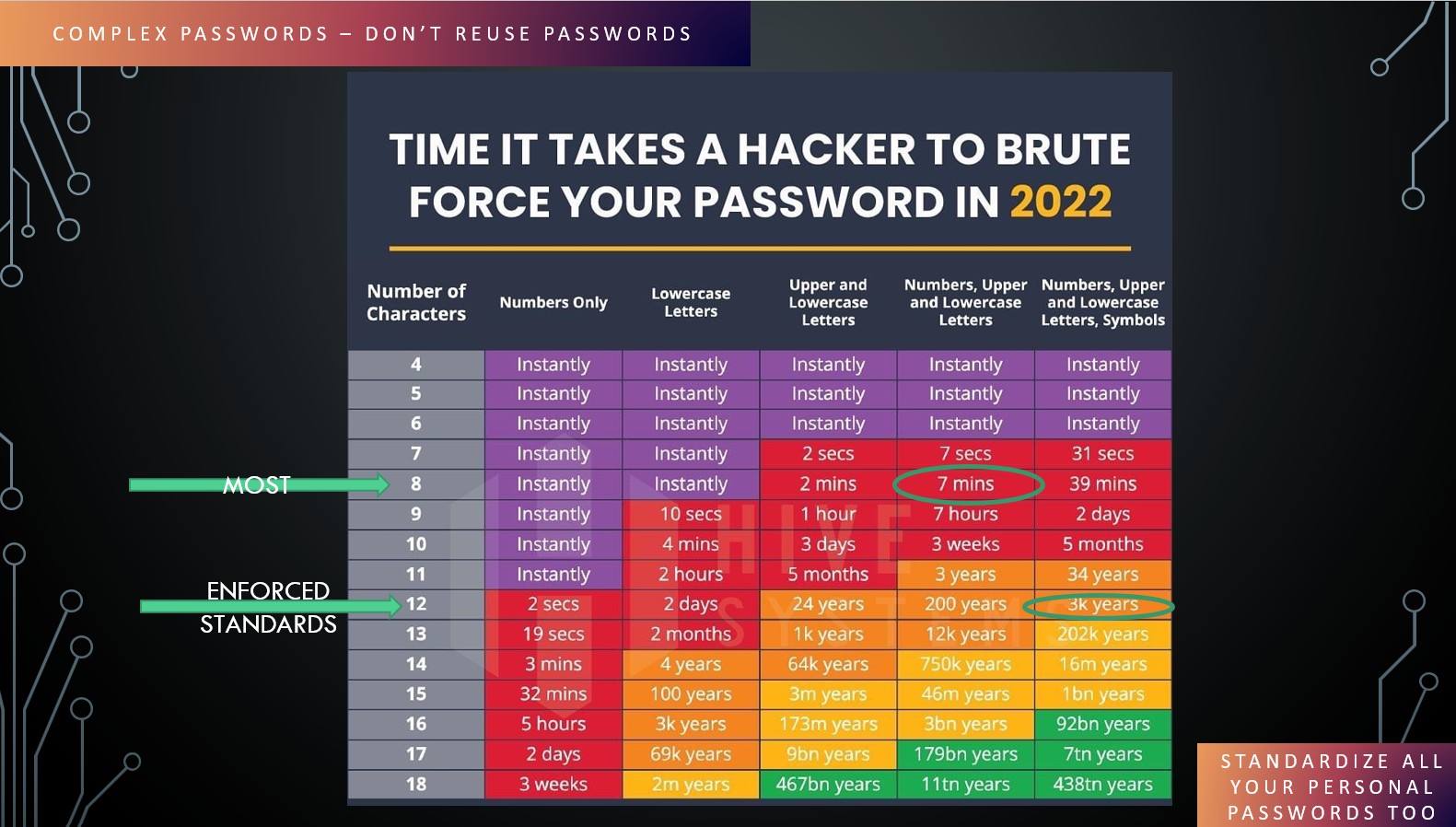
I admit, keeping track of passwords is tedious. And none the less impossible to keep track of, especially when you combine work and personal accounts. Did you know that a simple 8 character password can be brute hacked in less than 2 minutes? Yep. So the most important step to prevent issues (besides not writing it down) is by using proper PASSWORD SECURITY HYGIENE:
- Use Strong Password Complexity; 16-20 characters or more, random upper and lower case including digits and symbols.
- Make sure all your passwords are Unique
- Keep your Software up to date
- Use Two-Factor Authentication
- Use a Password Manager– and apply all the Tips above to break-proof the Master Password
- Need to share a password? Don’t send it via text or email, some Password Manager applications, such as LastPass you can share safely
Utimately, practicing proper password habits is a first line of defense to help protect your personal information and prevent unathorized access to your account. With the rise of cyberattacks, identity theft and data breaches; having a strong password is the most basic step you have full control of – so best bet is to make it difficult to break through.
MY CLIENTS ASK…
What Password Manager do you recommend?
There are many applications out in the web. But I personally use and recommend LastPass. It saves your credentials encrypted.
You can install on all your laptop and mobile devices.
- Autofills your passwords, so no need to remember them all
- Automate password creation
- Seamless Sharing
- Avoid Weak and Reused Passwords
- Syncs across all your devices
- and many more features


by MG | Sep 5, 2019 | Home, Small Business
Whether you’re working from home as a Telecomutter or SOHO (Small Office Home Office) business owner, the key to productivity is ORGANIZATION & DISCIPLINE.
Studies show: 28% of each day is spent on Distractions | 27% of office workers feel Disorganized | 13 hours on average per week is spent checking Email.
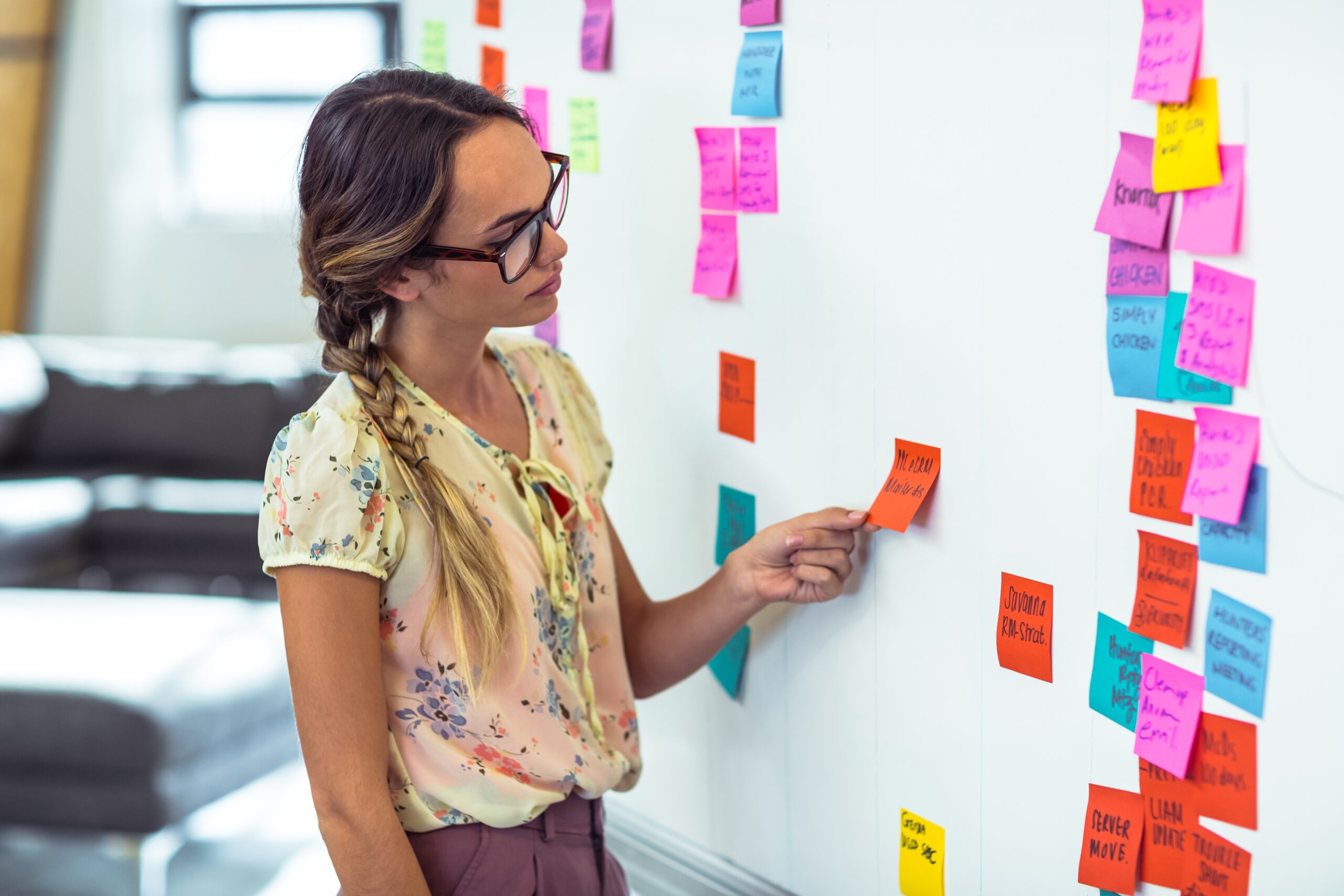
In a workplace enviornment there are many uncontrolled distractions, such as coworkers stop by your desk, engage in conversations, unplanned meetings and so on. So when you work from home its basically your availability, more formalized meeting schedules and planned tasks. But it requires self-discipine! Therefore every morning I plan out my day, put aside my phone, leave the Radio & TV off and I stick to my agenda. Unless I recieve a phone call, I only check my mobile device every half-hour to avoid distraction. This guarantees I won’t be tempted to take too many social breaks and fall behind on work deadlines. Believe it or not, you can be most productive at HOME then at work!
Also, having an organized and dedicated work area at home is essential. Apart from the common: laptop, printer and basic office supplies. I also recommend you ensure you have a High Speed Internet with a SECURE Wi-Fi, Dependable Surge Protector, Proper Data Backup and a Paper Shredder. In addition to the high-technical stuff- you need a Rocketbook Notebook! It’s not just a gadget, it’s a contribution to our environment!
MY CLIENTS ASK…
What items do you recommend for my home office?
 Working from home? Get all the tools you need for your home office delivered to your door. Shop Targus.com
 Connect and protect your tech with Targus accessories. Shop Targus.com for laptop bags, iPad cases, docking stations, and more.
by MG | Aug 31, 2019 | Home
In today’s day and age every home needs a Surveillance system to protect your loved ones. We are often asked what we recommend. Unfortunately there’s no right answer, as it all depends on preference and the layout of every home differs.
But as a standard scenario, I recommend these 2 different camaras, but of course I’m a Techie why would I settle for just one 😉 LOL
The Swann system is great as it records 24/7, with DVR capabilities which allows you to return to a specific data and time. Although Wireless- it’s wireless for internet access. But you still need to have power to plug adapter. So I mount it on house siding to view driveway, yard, etc any area you desire to keep tabs on.
The Arlo system is also great as it’s totally wireless! Which means I mount it on a tree to view all the access doors, such as front door. Only downside is the battery is rechargeable so you may need to unlpug every 2 months or so. There is also additional Arlo plans to record.
No home should be without – one or the other – or both 😉